Showing posts with label News. Show all posts

Monday, June 27, 2011

Forget '.com', are you ready for '.google', or '.bank'?

Think of it as a cyberspace land rush, as companies and others try to stake claims to websites ending with names like ".bank"

Come next year, an era when site names ended in a handful of predictable ways like ".com" or ".gov" draws to a close. ICANN, which stands for the Internet Corporation for Assigned Names and Numbers, says it will accept applications for domains with new suffixes that could range from corporate names (like ".Apple" or ".Sony") to more generic terms (like ".bank" or ".supermarket").

Don't expect that all those ".com" sites will simply fade away, or that every celebrity will start a site with a name like "Lady.Gaga." Some pop stars may try to do that, but ICANN has made the process of launching a new suffix cumbersome and costly, to put some limits on the proliferation of web suffixes.

What's certain, though, is that companies and other entities will now be thinking hard about the new "your-name-here" opportunity. And on the flip side, they'll be pondering the potential risks of not joining the stampede.

Web experts have said that ICANN’s proposals, to essentially open up a new online market-place, where new addresses are available for those brands and individuals who have lost their identity online in the first and second wave of the web, could be significant.

It will cost £162,000 to apply, and individuals or organizations will be asked to show a legitimate claim to the name they are buying.

Credit: Material from the Telegraph and Wire Services were used in this article.

Friday, June 24, 2011

Windows 8 - Amazing OS

Windows 8, the next generation of Windows, internally code-named “Windows 8,” for the first time. Windows 8 is a re-imagining of Windows, from the chip to the interface. A Windows 8-based PC is really a new kind of device, one that scales from touch-only small screens through to large screens, with or without a keyboard and mouse.

The video showed some of the ways re-imagined the interface for a new generation of touch-centric hardware. Fast, fluid and dynamic, the experience has been transformed while keeping the power, flexibility and connectivity of Windows intact.

Thursday, June 23, 2011

Nokia Window Phone Mango- Neowin

Nokia CEO Stephen Elop have unveiled the Nokia’s first Windows Phone device during an internal company meeting earlier this week. According to Neowin “Elop mentions that the device is “super confidential” and that the company doesn’t want to see it out in the blogosphere. “Beautiful design, gorilla glass, pillow shaped backing, carl ziess 8MP camera,” says Elop.
The product is Nokia’s first Windows Phone device and will be available later this year when the company releases a batch of Windows Phone Mango devices.”

Tuesday, June 21, 2011

Windows Phone 7.5 Mango technical preview

Last week Microsoft presented me with a Samsung Focus smartphone that was running a recent pre-release build of Windows Phone "Mango." Mango is the version of the OS that will replace Windows Phone 7, which launched last year.


Hi-Tech ITO: Nokia N9 - Design, Social and Interaction


Hello Guys,

Nokia today announced N9, their new invention to compete with Smart Phone majors.
You can find more details on Nokia N9 - http://swipe.nokia.com/


I classify the device in to three major things , which are done beatifically in new Device.

Design - Unibody Design , and no Home Button , Curved Shape Glass
Read More.....

Apple : iOS 5 Features

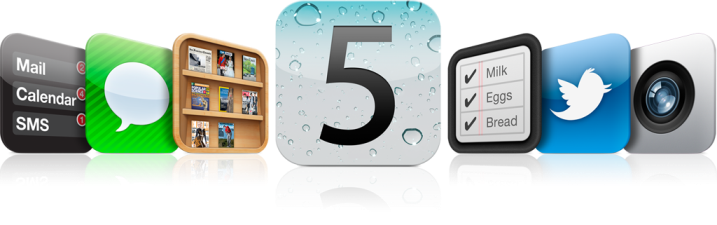
iOS 5
When Apple unveiled iOS 5 last Monday, Steve Jobs mentioned that their new OS for mobile devices included 200 new features. Apple didn’t give us a list of these 200 features, so it was left to beta testers to find them out themselves. Testers compiled the most comprehensive list of new iOS 5 features to, date which is as per bellow.

Notifications (full details)

  • Notification center
  • Lockscreen notifications
  • Slide lockscreen notifications to open their app
  • In app notifications
  • Select what notifications appear
  • Select where notifications appear
  • Sort notifications manually or by time

Monday, June 20, 2011

How to Add Google Plus one (+1) Button to Website/Blogs


The Plus One (+1) button, Google’s new experiment, is shorthand for “this is pretty cool” or “you should check this out.”  By clicking Plus One (+1), you can to publicly give something your stamp of approval. Your vote can help friends, contacts, and others on the web find the best stuff when they search.
Plus One (+1) will be integrated directly into Google’s search engine, and will serve pretty much the same purpose as a Facebook ‘Like’ does. But it is not like face where you should go and and post your like or dislike. The Plus One (+1) button, you can keep on any website/blog. Here we explain implementation of Plus One (+1) button.
Implement Plus One (+1) button to your website
The implementation is very simple and you get started instantly by using this default code where you want the Google Plus One (+1) button to appear. You just  require to insert two line of codes to your HTML.
1. Insert the following javascript code to your <head> tag.
<script type= "text/javascript" src= "http://apis.google.com/js/plusone.js"></script>
2. Insert the following tag to the place where you want the button to appear.
<g:plusone> </g:plusone>

Sunday, June 19, 2011

IE9 Developer Tools: Network Tab

At MIX 10 Microsoft released the IE9 Platform Preview and showed some of the included developer tools. You can access these tools by pressing F12, or click Developer Tools on the Debug menu when you use the Platform Preview.

Debug menu in the Platform Preview Build.  The first option is Developer Tools.
Debug >> Developer Tools ( F12 )

The developer tools include some new capabilities and improvements in tools which is not available in IE8.
  • Network Inspection Tab
  • Inspecting HTML and CSS
  • Script Debugging and Using the Console
  • Improving Script Performance
  • Changing the UA String and Compatibility Modes
  • Putting it Together

Saturday, June 18, 2011

New in iOS 5: Split Keyboard

Apple announce iOs 5 with number of new great features. Split keyboard is one of them. In previous version we face lot time keypad covers half of screen. Due to that many contain hides beside keypad. But split keypad is solve that problem.  It just makes typing on the iPad faster and easier.

To activate this, simply tap the keyboard icon at the bottom right of the keyboard and it will give you 2 options: undock, which lets you use the keyboard higher or lower on the screen, and split, which let’s you undock and split the keyboard just like it is on the image bellow… 

Ipad with split keypad Option

Friday, June 17, 2011

Windows Phone Developer Tools 7.1 Beta

Mango comes with 500 new features which includes enhanced Facebook, Twitter and LinkedIn integration, hands-free messaging, a multiple email inbox and the ability to chat with friends using Facebook Chat, Windows Live Messenger and SMS in the same thread. Mango also brings with it the Office365 and IE9 experiences. Mango, is first smart phone which provides multiprocessing between different customize application.

Google Search by Image

Google announced a new feature which will allow users to search the internet using images found both on their computer or online. Google uses computer vision techniques to match your image to other images in the Google Images index and additional image collections. From those matches, we try to generate an accurate “best guess” text description of your image, as well as find other images that have the same content as your search image. Your search results page can show results for that text description as well as related images. 

Steps For Search By Image (Work with firefox and crome only)  :
1) Visit web site : http://images.google.com/